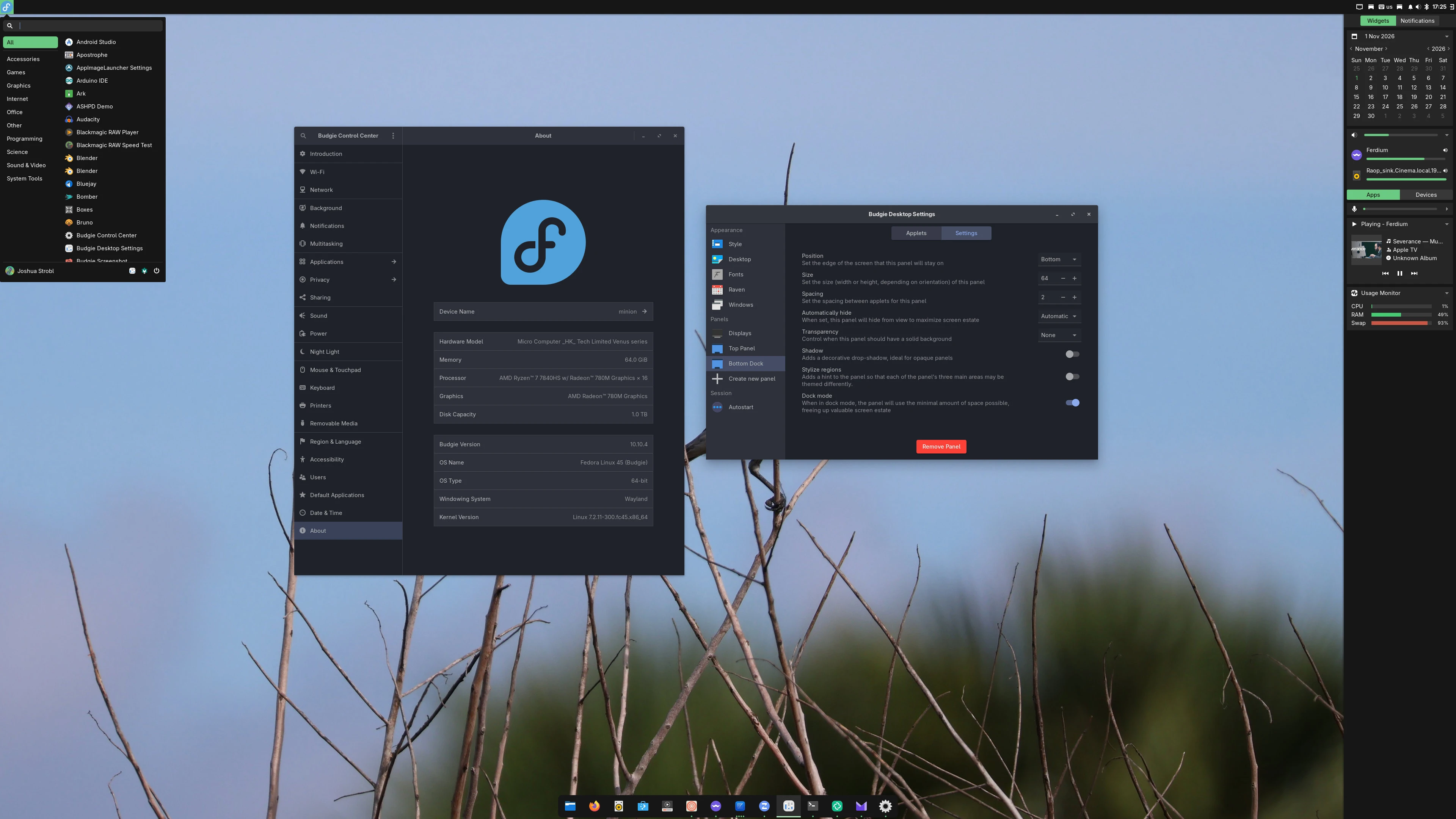
Budgie 10.10.4 is our fourth minor release of the Budgie 10.10 series. This release makes automatic and intelligent hiding work on Wayland, reworks dock mode, lets you switch Raven views with the keyboard, adds a shortcut for showing your panels, and fixes a number of bugs.

November 1, 2026
#Features and Improvements
#Panel Auto-hide and Dock Mode
You can also watch this video via PeerTube / MakerTube here. Ever since our move to Wayland with Budgie 10.10, automatic hiding and dock mode have been quirky to say the least. Under X11, Budgie could get the size and position of your windows, and hid a panel set to Intelligent whenever the focused window intersected it. On Wayland, Budgie gets its list of windows from thewlr-foreign-toplevel-management protocol, which tells us whether a window is maximized and which monitor it is on, but not its size or position. Without that, the overlap check we relied on had nothing to work with.
In 10.10.3, a panel set to Intelligent "hid" by dropping behind your windows. That worked until a window was maximized: the panel was now underneath it, so moving your mouse to the edge of the screen did not bring it back up, and it stayed hidden until that window was no longer maximized (issue #950). Automatic did not hide the panel at all, and a dock set to hide still reserved its whole edge, so your maximized windows could not use that space either.
With 10.10.4, the panel code received a major refactor, with automatic hide as well as dock mode receiving an almost complete rework. A hidden panel now stays above your windows, but is otherwise invisible with a small 3px area (the width / height of the panel depending on orientation) along its edge for capturing mouse events. Moving your mouse to that edge brings the panel back, and clicking anywhere else goes through to the window underneath. Panels will stay visible while one of their popovers is open, so you can use Budgie Menu, interact with IconTasklist popovers, change volume using the Sound applet, and so forth.
Panels set to automatically hide also no longer reserve space on the screen, so your maximized windows can use the full screen.
#Automatic and Intelligent
Since Budgie cannot check whether a window intersects a panel, both policies now go by maximized windows instead:#Fullscreen Applications
If you are watching a fullscreen video, moving your mouse to the edge of the screen now shows the panel above the video. Games that lock your mouse pointer are not affected, as long as your compositor correctly supports / implements the pointer constraints protocol. Panels with "Automatically hide" set to Never stay behind fullscreen applications, and there are now two ways to bring your panels up over one (issue #600):#Raven
You can now switch between Raven's widgets and notifications views with the keyboard while Raven is open (issue #1005). Pressing Super+A or Super+N switches to that view, and pressing the shortcut for the view you are already on closes Raven.#labwc Bridge
#Moving Windows Between Monitors
Super+Shift+arrow keys now move the focused window to the monitor in that direction, as they did on Budgie 10.9 (issue #1006).#Picture-in-Picture
Picture-in-Picture windows, such as the ones from Firefox, now stay on top of your other windows (issue #1018).#Clicking the Desktop
By default, labwc opens its root menu when you left click the desktop. On a touchpad, this was easy to trigger by accident, and since releasing the click over a menu item activates it, a tap and drag could end up with accidental launches (like of Budgie Desktop Settings). Left clicking the desktop now only focuses it, while right clicking still opens the root menu. This also fixes Budgie Menu and Raven not closing when left clicking the desktop with desktop icons turned off (issue #1004). Existing labwc configs are migrated on login, keeping any mouse settings you added yourself.#Screen Dimming and Locking
You can now choose how long Budgie waits before dimming your screen (issue #999). The delay can be anywhere from 30 seconds to 30 minutes, and setting it to 0 turns dimming off. The next release of Budgie Control Center will add it to the Power panel (pull request #128). Until then, you can set it withgsettings:
gsettings set com.solus-project.budgie-wm dimming-delay 90
gsettings set org.buddiesofbudgie.budgie-locker locker-choice 'swaylock'
#Faster Panel Startup
Previously, Budgie Menu, Icon Tasklist and the Autostart page in Budgie Desktop Settings each loaded the full list of installed applications separately, and Icon Tasklist did so again for every application it needed to match to a window. Now, the list is loaded once and shared across the panel, and reloaded when you install or remove applications. We measured the panel's first 90 seconds with 281 applications installed, with two runs per build for the timing measurements:| Before | After | Change | |
|---|---|---|---|
| Full desktop-file scans at startup | 9 (1 app index, 8 matcher) | 1 | −8 |
| Main-thread time in those scans | 201 / 200 ms | 22 / 22 ms | −178 ms |
| Panel user-space CPU time | 392 / 427 ms | 255 / 270 ms | −147 ms (−36%) |
CPU in the tasklist's first population (rebuild_items) | 106 / 118 ms | 14 / 13 ms | −99 ms |
CPU under g_app_info_get_all | 94 / 113 ms | 10 / 14 ms | −92 ms |
| Allocation calls | 2,756,211 | 1,763,625 | −36% |
| Short-lived (temporary) allocations | 522,009 | 213,184 | −59% |
| Peak heap | 15.42 MB | 16.23 MB | +0.81 MB |
#Development
Budgie Desktop now supportsmeson devenv, so you can run the panel, applets and Raven straight from your build directory without installing:
meson devenv -C build budgie-panel --replace &
#Bug Fixes
#Panel
In a language other than English, applets could disappear from the panel after updating to 10.10.3. Each applet's settings store the name of the plugin it comes from, and the panel matched that against the name libpeas reports for each plugin. Since applet names became translatable in 10.10.3, libpeas reports the translated name, so any applet with a translation failed to match and was dropped from the panel. Applets now store the plugin's module name in a newmodule key, which the panel prefers. Applets without it are matched against the untranslated name from the plugin's .plugin file, and translated names saved by 10.10.3 are still accepted. On login, the panel fills in the module key for existing applets and replaces any translated name with the untranslated one.
Other panel fixes:
#Bluetooth Applet
Budgie Control Center 2.1.1 removed its Bluetooth panel, which broke the settings button in the Bluetooth applet. The button now opens the first of these that is installed:#Crystal Dock
#VMware
The mouse pointer is visible again in VMware virtual machines. The labwc session now setsWLR_NO_HARDWARE_CURSORS when it detects VMware's virtual GPU, as it already did for virgl (issue #1037).
#Qt Applications
Older Qt applications and AppImages without Wayland support can launch again. WhenQT_QPA_PLATFORM is not already set, the labwc session now sets it to wayland;xcb, so Qt falls back to XWayland.
#Packaging Changes
#New Build Option
graphics-lib chooses the library budgie-daemon uses to convert wallpapers for the Crystal Dock workaround:
imagemagick (default) uses ImageMagick 7's magick.graphicsmagick uses gm convert.#Settings
org.buddiesofbudgie.budgie-locker is a new schema with a locker-choice key. Distributions shipping both gtklock and swaylock can override it to set their default.com.solus-project.budgie-wm gains dimming-delay, defaulting to 30 seconds, and toggle-panels, defaulting to Super+T.#Panel Layouts
Applet entries inpanel.ini can now use a Module= key, which is preferred over ID= when present. Existing layouts continue to work.
#Contributor List
Budgie Desktop is developed by Buddies of Budgie, with contributors around the world. Alongside all of our amazing translators, here is a list of all the contributors that made this release possible: Thank you as well to everyone who reported issues, tested fixes, and helped us track down bugs during this release cycle!#Release Stats
Leaving out translations and build system changes, here is how much changed since 10.10.3:Have a question, some feedback, or a Budgie setup you want to show off? This post has its own thread on the Buddies of Budgie forum, where you can talk about it with the team and your fellow Budgie Desktop users.
Did you know that you can financially support the Buddies of Budgie project? Buddies of Budgie was founded to provide a home for Budgie Desktop and your financial contribution can go a long way to supporting our goals for development, providing opportunities for financial compensation, leveraging no-compromise Continuous Integration and Continuous Delivery systems for Budgie 11 development, and more.